
gradio로 학습을 시작하면 로그가 쌓이고 해당 로그를 화면에 띄우는 기능을 구현하고 있었다. 단순히 로그를 보려면 `Code`componet를 이용하면 볼 수 있었다.
로그가 계속해서 쌓이기 때문에 맨 처음에는 `Button` component을 이용해서 새로 고침버튼을 만들고, 새로고침 버튼을 누르면 다시 파일을 읽어와서 출력하도록 맨 처음에는 구현했었다.
import gradio as gr

def get_file_content(file):
    try:
        with open(file, 'r', encoding='utf-8') as f:
            lines = f.readlines()
        return ''.join(lines)
    except Exception as e:
        return f"Can't read File: {str(e)}"

log = gr.Code(max_lines=20, scale=2, language="yaml")

refresh_button = gr.Button("Log refresh")
refresh_button.click(get_file_content, inputs=[gr.Textbox("inference.log",visible=False)], outputs=log)
그런데 그냥 cli에서 처럼 로그가 계속해서 쌓이는데 내가 버튼을 눌러야한다는 것이 매우 불편했고, 자동으로 새로고침이 되었으면 좋겠다는 생각을 하여 docs를 찾아보니 여러 component 들에 `every`라는 파라미터가 있었다.

설명대로 `value`파라미터에 함수를 넣고, `every`에 시간을 적어주면 해당 함수를 주기적으로 실행시켜 준다는 것 같아서, 맨 처음에는 단순하게 아래와 같이 고쳤는데 `get_file_contetn`함수가 호출되지 않았다.
import gradio as gr

def get_file_content(file):
    try:
        with open(file, 'r', encoding='utf-8') as f:
            lines = f.readlines()
        return ''.join(lines)
    except Exception as e:
        return f"Can't read File: {str(e)}"

log = gr.Code(max_lines=20, scale=2, language="yaml", value = get_file_content("inference.log"), every=2)
뒤적거리다 보니 다행히 이 글에서 해결책을 찾았다.
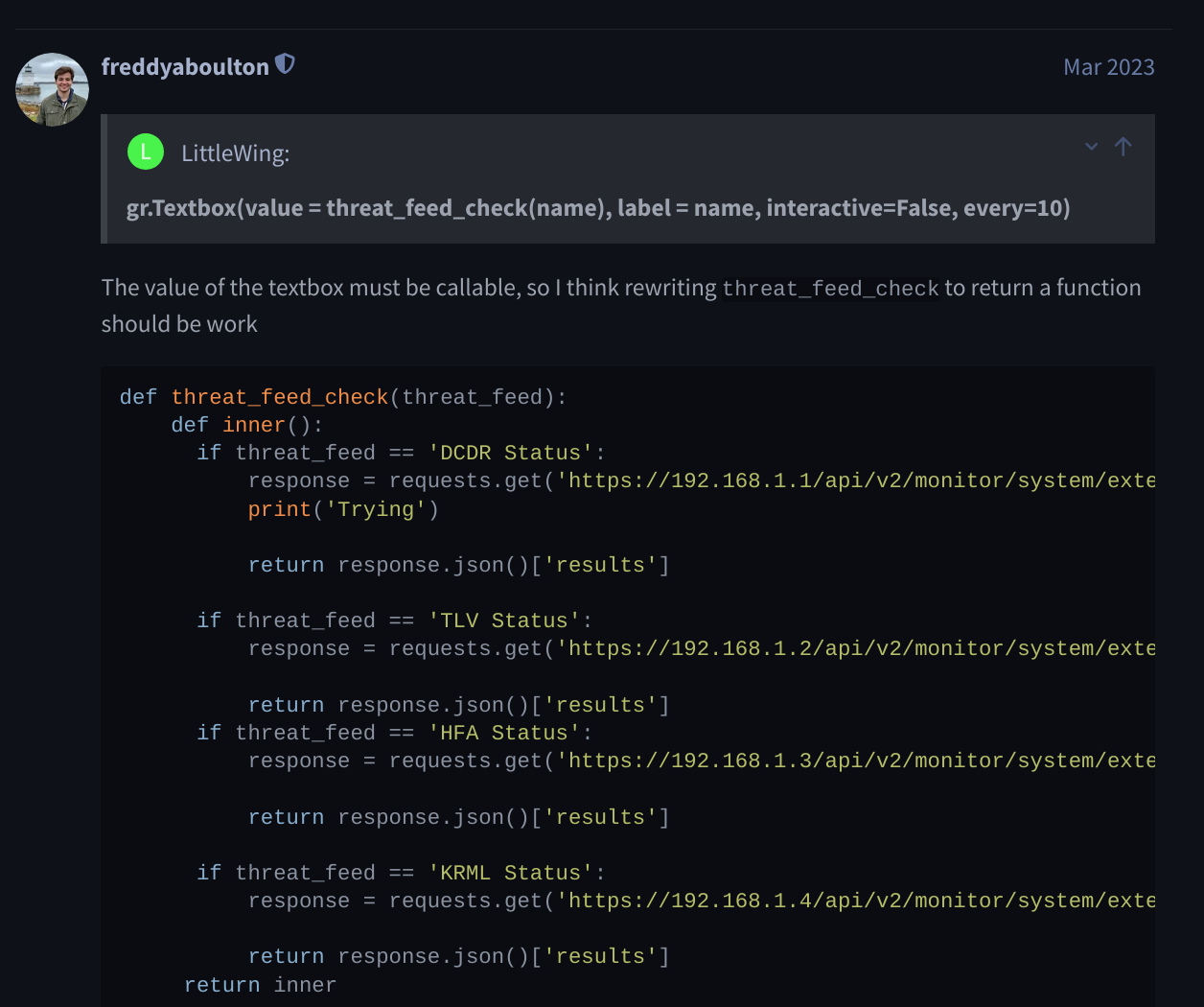
결론적으로 `every`를 쓰기 위해서는 `values`가 함수이고, 해당 함수의 returen값도 함수여야 한다. 즉 최종코드는 아래와 같이 단순하게 내부에 함수로 한번 더 감싸줬다.
def get_file_content(file):
    def inner():
        try:
            with open(file, 'r', encoding='utf-8') as f:
                lines = f.readlines()
            return ''.join(lines)
        except Exception as e:
            return f"Can't read File: {str(e)}"
    return inner
 log = gr.Code(max_lines=20, scale=2, language="yaml", value = get_file_content("inference.log"), every=2)
이제 `every`에 적어놓은 시간이 지날 때마다 해당 함수를 호출하여 로그를 확인할 수 있었다 ~
Reference
Gradio Docs
Gradio docs for using
www.gradio.app
How to achieve a function that runs every 10 seconds
Is it running approximately every 10 seconds or it’s not running repeatedly at all? What version of gradio are you using?
discuss.huggingface.co
'알쓸신잡' 카테고리의 다른 글
| vscode 디버깅 - justMycode (0) | 2024.12.18 |
|---|---|
| Linux AIHub 데이터 다운로드 (1) | 2024.12.06 |
| 내부망 docker 설치 (0) | 2024.11.27 |
| yolo 가이드 (0) | 2024.11.22 |
| pip bad interpreter (0) | 2024.11.20 |